Oracle重置实例密码——Netboot

Oracle重置实例密码——Netboot
Alexei适用的操作系统
本文测试过ubuntu20.04/Debian 11/12
下载netboot文件
- AMD
1
2
3
4
5
6
7
8
9
日本 tftp 168.138.192.98 amd.efi
韩国 tftp 152.70.37.174 amd.efi
凤凰城 tftp 129.213.138.77 amd.efi
tftp 129.146.176.181 amd.efi
tftp 141.148.165.116 amd.efi
圣地亚哥 tftp 146.235.243.104 amd.efi
圣保罗 tftp 146.235.27.19 amd.efi
新加坡 tftp 168.138.175.120 amd.efi
巴黎 tftp 141.145.221.202 amd.efi - Arm
1
2
3
4
5
6
7
8
9
日本 tftp 168.138.192.98 arm.efi
韩国 tftp 152.70.37.174 arm.efi
凤凰城 tftp 129.213.138.77 arm.efi
tftp 129.146.176.181 arm.efi
tftp 141.148.165.116 arm.efi
圣地亚哥 tftp 146.235.243.104 arm.efi
圣保罗 tftp 146.235.27.19 arm.efi
新加坡 tftp 168.138.175.120 arm.efi
巴黎 tftp 141.145.221.202 arm.efi
具体操作步骤
AMD重置密码
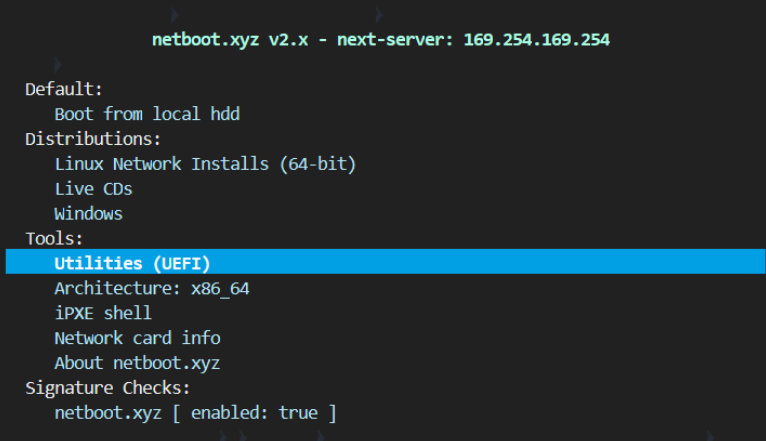
1、netboot界面选择Utilities(UEFI)
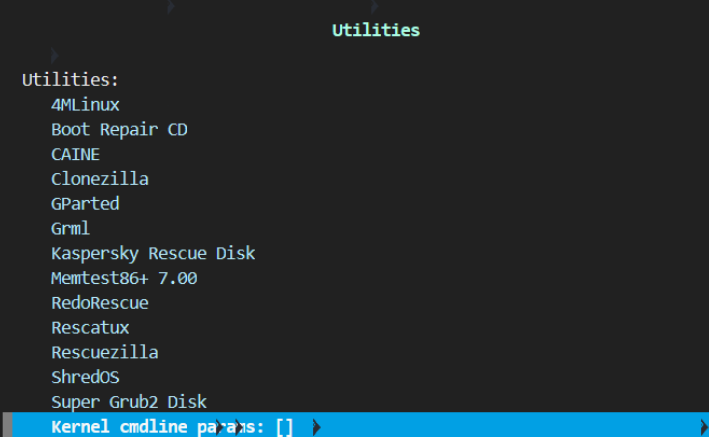
2、选择Kernel cmdline params
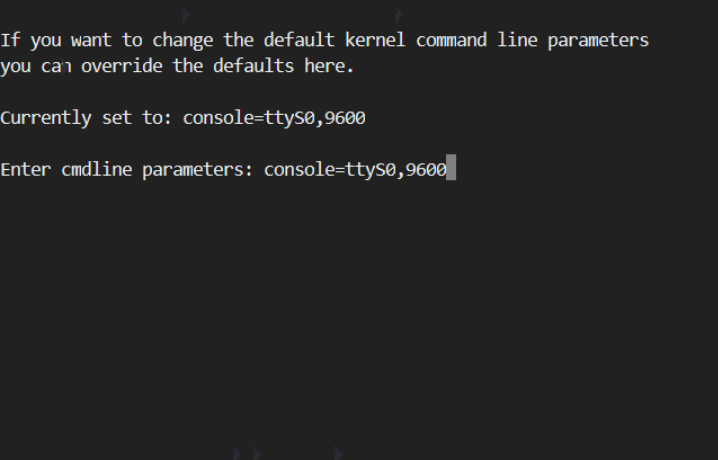
3、输入console=ttyS0,9600后回车
4、ESC退出到主页面
5、继续进行下面的Arm重置密码
Arm重置密码
1、选择Linux Network Installs (64-bit)
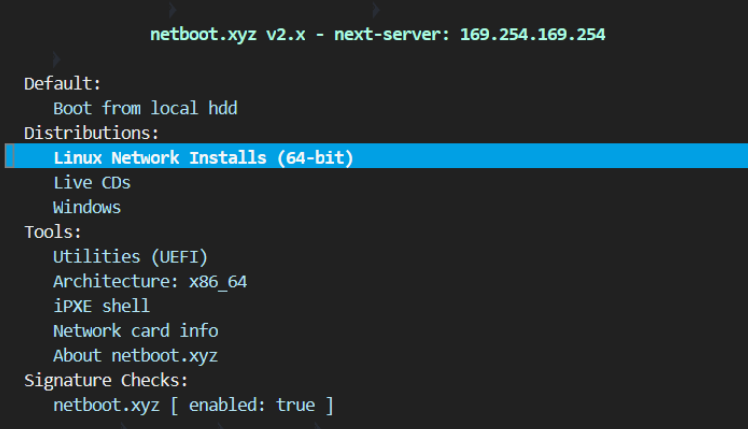
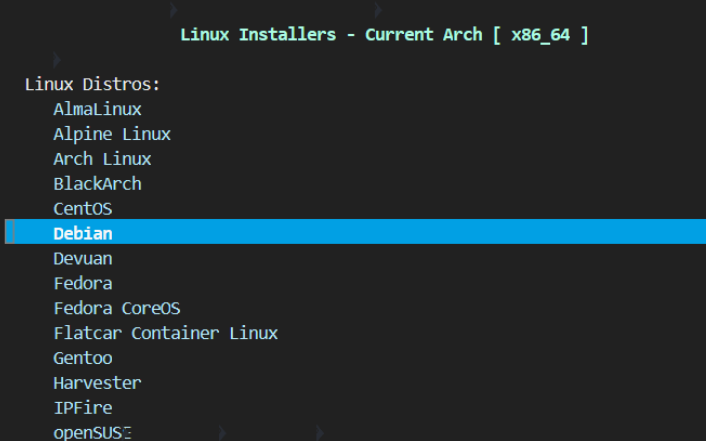
2、选择Debian,不管是ubuntu,还是debian,都选Debian
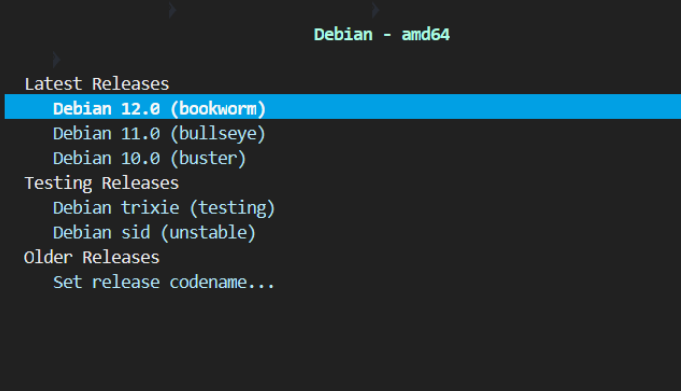
3、选择Debian 12.0 (bookworm),不管是什么版本,都选12.0
4、选择Rescue Mode

5、下面只截图关键的部分,这里有9个直接回车的操作
[!!] Select a language选择[English]直接回车;[!!] Select your location直接回车;[!!] Configure the keyboard直接回车;[!] Configure the network-Hostname:直接回车;[!] Configure the network-Domain name:直接回车;[!] Choose a mirror of the Debian archive-Debian archive mirror country:直接回车;[!] Choose a mirror of the Debian archive-Debian archive mirror:直接回车;[!] Choose a mirror of the Debian archive-HTTP proxy information (blank for none):直接回车;[!] Configure the clock直接回车;
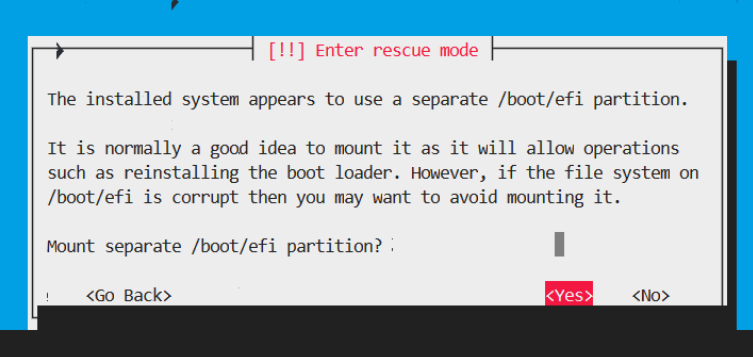
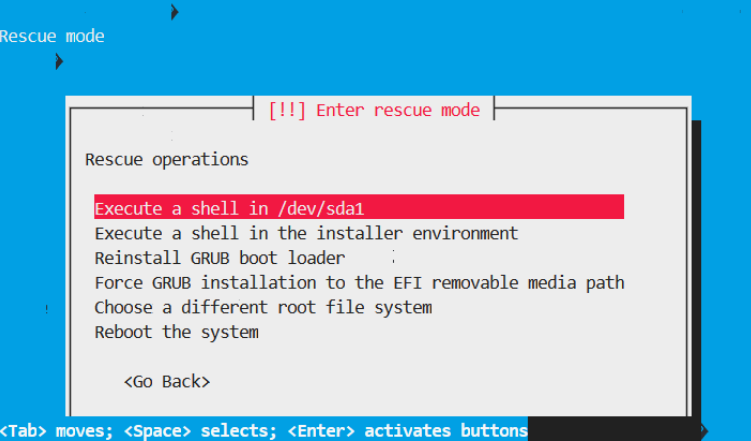
6、关键步骤[!!] Enter rescue mode需要根据实际情况选择,通常是sda1
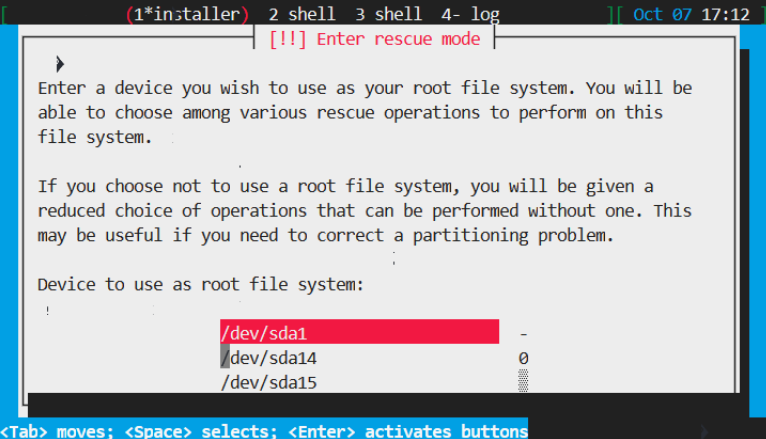
[!!] Enter rescue mode选择<Yes>
[!!] Enter rescue mode选择Execute a shell in /dev/sda1
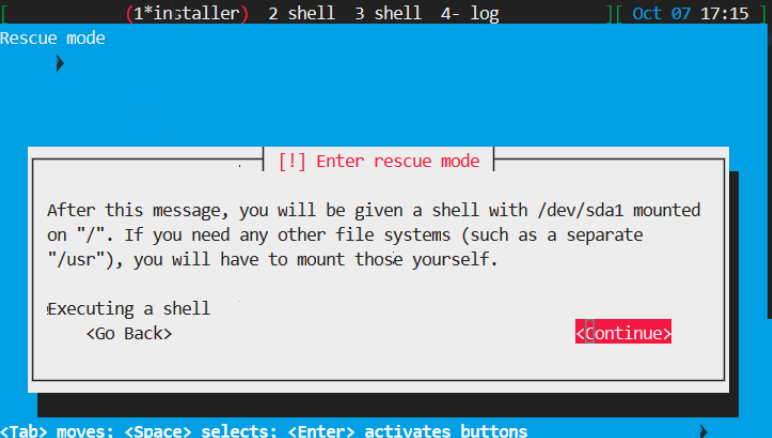
Executing a shell选择<Continue>然后直接回车
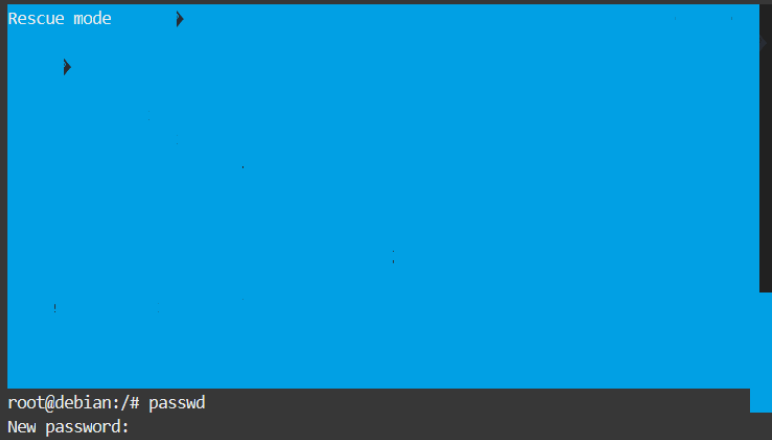
这个时候页面的最底部出现root@debian:/#
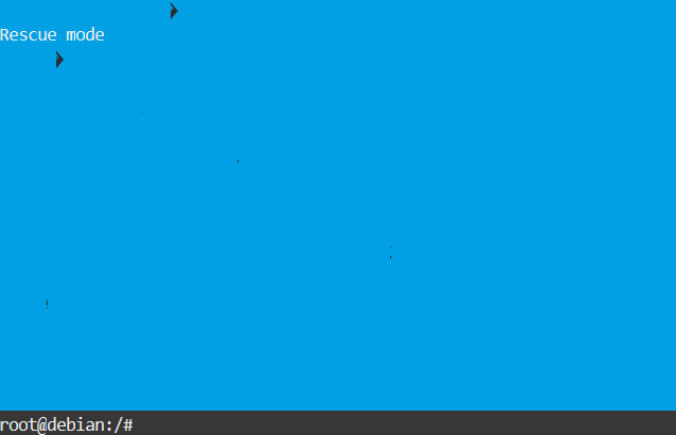
输入passwd,然后输入两次密码